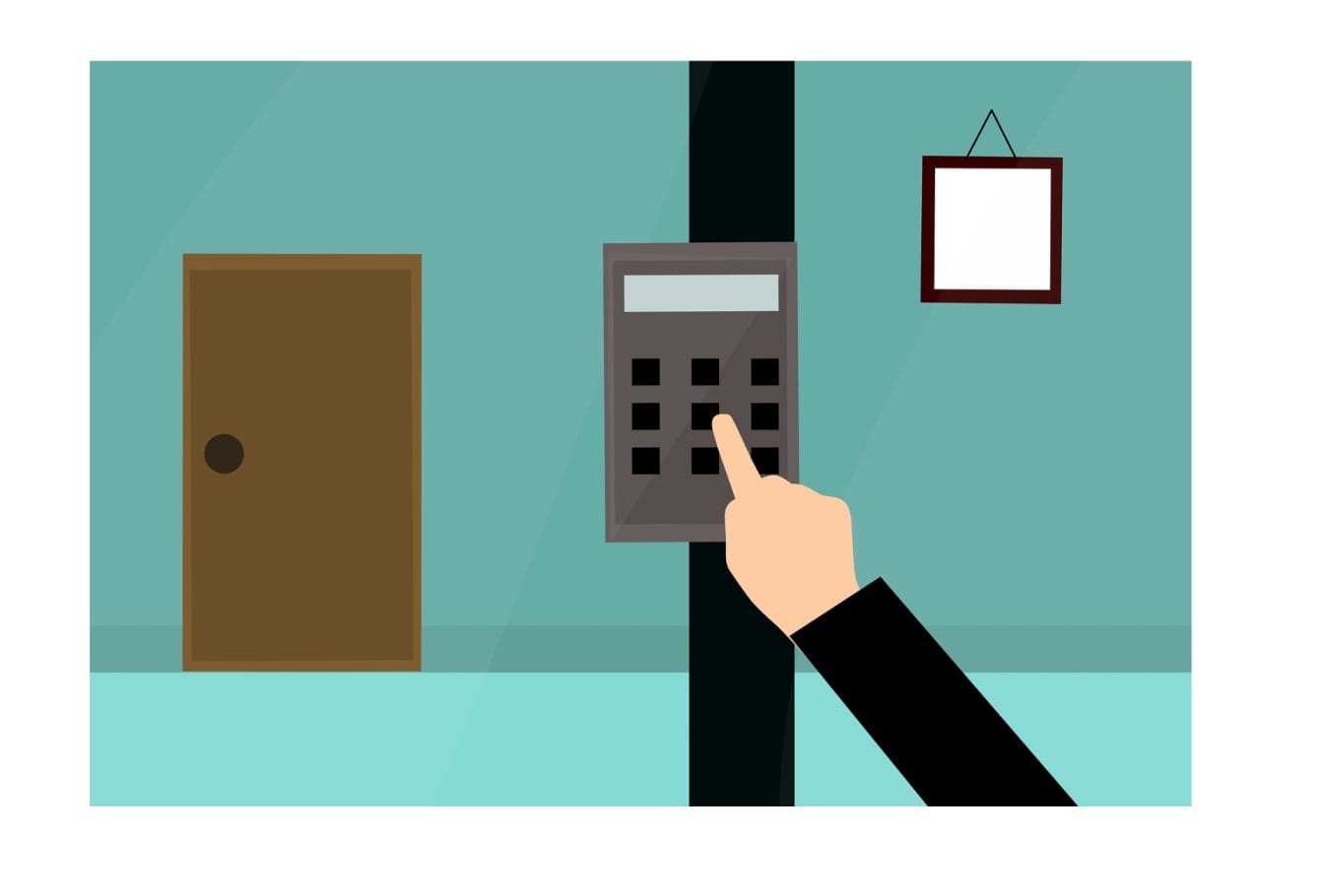
You know, I just was telling you the truth, I had spent too long thinking authorization and authentication were practically identical. They are both about access, they both have a technical sound, and quite frankly. The majority of articles describe them in the most monotonous manner.
Then I really needed to apply either of them to a project, and everything fell to place. It is not the same terms, they are two totally distinct security gates that co-exist. I will take you through what I acquired, since by 2025, you must be able to get this right, should you be putting together anything web-based.
Table of Contents
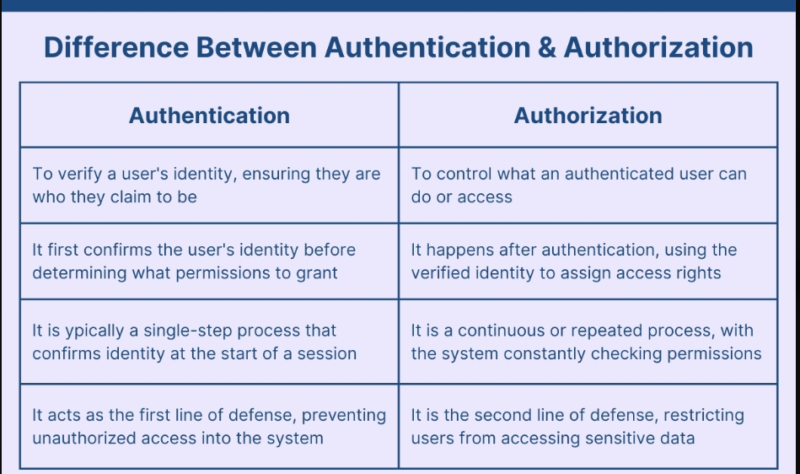
The Core Distinction: Who You Are vs. What You Can Do
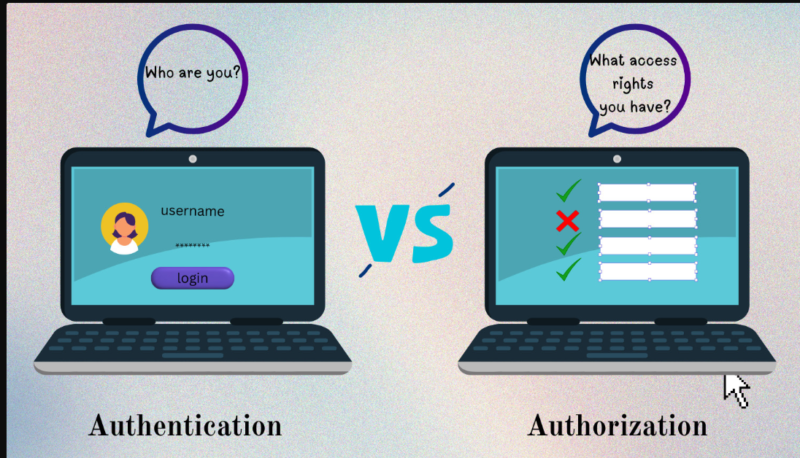
The easiest attempt I can make at it is as follows:
Authentication responses: Who are you? It is the bouncer who looks at your documents and takes your name.
Authorization responses: What are you able to do? It is the VIP wristband that makes the difference between the backstage access and not.
Authentication cannot be skipped and moved on to authorization this is like providing a backstage pass to a person without verifying whether he/she is even supposed to be on the stage. Authentication must come initially. Always.
Real-World Scenarios That Made It Click for Me
When I visit my bank application, this is what happens:
Authentication: I type my username, password and the annoying 6-digit number of my phone. The bank ascertains that it is me.
Authentication: After I am in, the system verifies what accounts I have, what I can do in the transactions and whether I can do the transfer of money in the international market.
Two totally different security checks, on the same person.
Or think about Netflix. Then you enter your email and password, and it is authentication, Netflix makes sure you are a paid subscriber. However, authority comes in: Are you capable of streaming 4K? Do you have the premium plan? Do you want to view on too many devices at the same time? That is all the authorization is to determine what your authenticated identity is able to do.
I did this with the permission system of Google Drive recently. I proved who I was with my work account but I was not able to edit the quarterly budget spreadsheet anyway since the authorization gave me the ability to do so with the viewing permissions. There are two processes, two decisions.
Why Both Matter in Web Security (And Why You Can’t Fake Either)
This is where the seriousness starts. The security research report of Microsoft states that multi-factor authentication removes the account takeover threats by 99.9%. That’s huge. However, here is the twist of the story – despite a bulletproof authentication, the weak authorization can destroy it all.
I’ve seen this firsthand. The authentication of a startup by a friend was based on the level of rock: passwords, MFA, all that. However, their permission was a disaster – after logging in, it was possible to view much more information than one should have. This has become an issue when one junior developer accidentally accessed the payroll details of the entire company due to the failure of someone to set up role-based restrictions.
The Attack Surface Most People Miss
Hackers understand the distinction between them despite the fact that developers are not always aware of it. Current statistics indicate that almost 50 percent of current servers identify injection vulnerabilities that target authorization checks. Why? Due to the fact that individuals think that the authentication is sufficient.
It’s not. Getting through the door comes with authentication. Permission is the determining factor as whether you will rob the place.
Common Misconceptions (That I Definitely Believed)
Misconception 1 An individual should have full access in case he or she passes the authentication test.
Nope. This is referred to as privilege escalation and that is how most data breaches indeed occur. The fact that you are a certified employee does not imply that you should get your hands on HR files, financial records, and data on customers at the same time.
Misconception #2: “Authorization is possible to work without authentication.
Technically impossible. How can you give permissions to somebody without knowing anything about him/her? There are those systems that appear to bypass authentication (ex: public APIs), but are in fact doing authentication with a token system behind the curtain, you just are not observing it.
Misconception #3: OAuth is both authentication and authorization.
This just bewildered me months. OAuth 2.0 is essentially a protocol of authorization. It responds to what is it possible with this app? such as when you allow a third party application to update your Twitter. To conduct authentication, you would do it in combination with OpenID connect (OIDC), which also introduces the Who is this user? layer on top.
Misconception #4: “Multi-factor authentication is the be-all end-all solution.
MFA certifies the authentication to a great extent, yet it does not interfere with authorization. I have witnessed MFA-enabled application and allowed authenticated users to delete databases they were not supposed to. MFA authenticates one and does not control permissions.
An Introduction to the Four Authorization Models You Really Will Use.
In doing my research on this I came across four core approaches that organizations are taking. The following is what I came to know due to a comparison between Cerbos and OSO:
RBAC (Role-Based Access Control): You award positions and not people. Expenses can be approved by managers, post can be published by the editors. Easy, yet it becomes a nightmare within a short time – some companies have found themselves having more positions than workers.
ABAC (Attribute-Based Access Control): Multiple attributes are used to make the decisions: user role, location, trust of device, time of the day. It is as though one tells someone to say Sales reps can log in to customer information, but only within company hours, and only with company computers. Much more flexible, but difficult to configure.
PBAC (Policy-Based Access Control): Policies evaluated by using policy engines. Browse “Should user work in Finance and in payroll and not month-end, deny. Very accurate, but it is a production of expertise.
ReBAC ( Relationship Based access Control): Relationship based permissions. In the case of Alice, one can edit the properly created documents or those sent to her. Natural collaboration tool selection.
Most organizations begin their journey with RBAC since it is receptive. Then they discover that they require the flexibility of ABAC in case of compliance or dynamical access case.
Quick Decision Tree for Developers
In creating authentication and authorization in yer app, my mental checklist is the following:
Start with authentication:
- Are you using passwords? Introduce a Mediafirst ad hoc MFA right now, it will soon become the new normal that passwords become obsolete.
- In case you are dealing with sensitive data consider using FIDO2-compliant (biometrics, security keys).
- Use SSO when in a large organization. Users detest the idea of using 47 different passwords.
Then layer authorization:
- Can you define clear roles? Start with RBAC.
- Are some permissions supposed to vary depending on location or device or time? Look into ABAC.
- Does sharing and collaboration of users exists? Consider ReBAC.
- Do you need to deal with compliance needs of more than one region? Most likely you require policy based solutions.
Red flags to watch for:
- Standing privileges – when users are able to do something that they hardly or cannot ever do, you are unnecessary increasing your attack surface.
- None had an audit trail – all the authorization decisions must be enlisted. Period.
- Manual reviews of permission – in case you are conducting quarterly reviews of access manually, you are already lagging.
The golden rule that I would have liked someone to have told me: Assume the least privilege. Limit access to the barest minimum, and increase access level based on necessity. It is much easier than attempting to retract over-permitted permissions in future.
What’s Actually Changing in 2025-2026
The environment is changing rapidly. The AI-driven authentication is now used to compare the behavioral trends and identify anomalies – irregular login, bizarre data access patterns, suspicious device use. And it is not about entering the correct password. anymore.
Authentication is also becoming intelligent. Zero-trust initiatives constantly revise the access on a risk basis. The things you can do against a 9 AM office laptop with your office laptop permissions may not be the same as when you are using a coffee shop in a different state at 11 PM using the same authentication as you used at 9 AM.
A second trend to follow is that of just-in-time (JIT) access. Users transfer temporary permissions to get specific tasks as opposed to lifetime permissions. A right is given a limited time of access which dies once the task is completed. Those organizations that employ JIT lower the average of standing privileges by 91%.
The Bottom Line
An authorization and authentication are not interchangeable and this is what results in security lapses. Identity is proven by authentication. Permission is subjected to enforcement through authorization. Both you require, and such and such you must get about.
When you are creating anything web-based, whether it’s an application, a platform, or an API, this is one of the distinctions to make at the very beginning. Proper authentication (preferably passwordless or supported by MFA) is to be added, followed by the application of smart authorization (learn to then keep it simple like RBAC, scale to ABAC when required).
The good news? There are now free learning resources everywhere. GeeksforGeeks, ECCouncil, Codecademy, they are all available to take courses on how these concepts can be implemented correctly.
The bad news? Failure to do this or doing it half-heartedly is playing dice with user data. And a bet you really do not want to lose in 2025.
Read:
Authentication Methods and Protocols: A Guide for Confused Developers

I’m a technology writer with a passion for AI and digital marketing. I create engaging and useful content that bridges the gap between complex technology concepts and digital technologies. My writing makes the process easy and curious. and encourage participation I continue to research innovation and technology. Let’s connect and talk technology!