I do not come here to preach you about password security. You’ve heard it all before. However, this is one of the things that can actually catch your eye, which is the possibility of enabling Multi-Factor Authentication (MFA) that can prevent 99.9% of robotic attack attempts against your account. It is not a marketing gimmick, that is actual data of the security research done by Microsoft.
And by still using a mere password (even a strong one), you are practically leaving your front door wide open. I would like to explain to you what MFA is, what kinds of this you will encounter, how to get through this and not stay insane.
Table of Contents
What Is MFA and Why Should You Care?
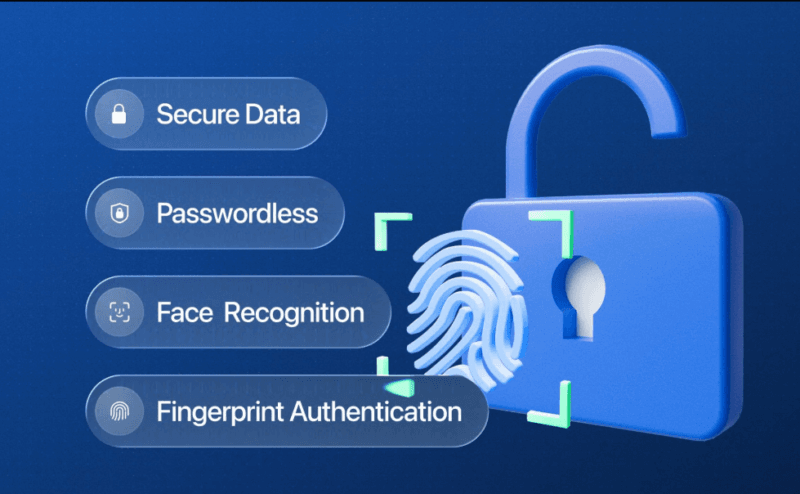
Multi-Factor Authentication refers to identification of yourself by two or more distinct means. Consider it in such a way that your password is something known to you. The MFA gives you something you have (such as your phone) or something you are (such as your fingerprint).
Here’s why it matters. All the time passwords either leak, are stolen or guessed. The hackers operate automated bots, which attempt millions of user combine username- passwords on the web. However, at that point of adding the second layer, those bots hit a wall. They can’t access your phone. They are unable to make your authentication code. The attack just stops.
It is not foolproof, everything is not, but it is the largest security enhancement that most humans can afford to implement currently.
The Main Types of MFA You’ll Actually Use
By enabling MFA, you will have options of a variety of approaches. They’re not all created equal.
SMS and Email Codes
This is the most widespread you will come across. You key in your password and the site sends you a 6 digit code either via text or through email. You put that in, and are all done.
It is much better than nothing, and SMS has certain actual issues. SIM swapping attacks (when a person deceives your phone carrier to port your number to the other device) are on the rise. The email codes are a bit different and better, however when your email account is compromised you are dead.
SMS is in fact being shunned by the security community. NIST–who have the authority to offer cybersecurity standards, now denotes SMS as a restricted category due to these weaknesses. Use it when you have to, but then do not stop.
Authenticator Apps (TOTP)
This is the part where it is more secure. Google Authenticator, Microsoft Authenticator, or Authy apps are time codes that utilize time-based codes that differ after every 30 seconds. They are known as TOTP (Time-based one time passwords).
The difference is that the code is created on your device with the help of a secret key which was exchanged at the very beginning of setting it up. No text message required. Although someone might intercept your internet connection, he or she will not be able to snatch your code since it does not go anywhere.
Also available is HOTP (HMAC-based One-Time Password) that is very similar except that it uses counter, not time, to generate the codes. This will be found less frequently- in general enterprise system hardware tokens.
Push Notifications
Push-based MFA delivers the warning about your permission directly to your phone. You receive an alert, but you give it a tap on approving and you are in. It’s fast and user-friendly.
There is one problem with it though: MFA fatigue attacks. Bad actors learned that they can fill your mail with dozens of push requests (much of the time, at 2 AM when you are groggy), and hope that sometime or other you will tap Approve to take your phone off the ringer. It is prompt bombing, and it is more frequent that you would expect.
The fix? Number matching. In the new systems, you are told with a number, which you must enter upon your login screen into your phone application. It makes you realize that you are not looking at the browser, but rather mindlessly accepting notifications.
Hardware Security Keys
This is the gold standard. The physical gadgets such as YubiKey or Google titan can be used by connecting it into the USB port of your computer or through NFC. Projected -You tap the key with a log in and are authenticated.
Why are these so secure? They make use of FIDO2 protocol that generate cryptography key pairs. The personal key does not go out of the device–ever. The authentication will not work even in case you are fooled into accessing one of the counterfeit phishing sites since the cryptographic challenge is linked to the real domain. It is just no secret to steal.
They are pricier (YubiKeys cost between 25-70 dollars depending on model) and inconvenient as they have to be carried to carry them around. Hardware keys are not beatable though towards high-value accounts- your email, bank account passwords, access to the administration.
How Enterprises Handle MFA
Stakes differ when you are putting MFA into practice by a business. You are not securing a single account you are securing dozens and hundreds or even thousands.
What is known as Conditional Access or Risk-Based Authentication is utilized by most companies. The system considers the context before making a decision on the requirement of MFA. Signing in using your normal computer at your normal time? Smooth entry. It is 3 AM and you are on a foreign location? It issues a challenge that is a step-up; perhaps they need that hardware key.
That is what adaptive MFA is. The basis of analysis of AI engines are patterns of behavior: how fast you type, where you move your mouse, how you hold your phone. When something does not augur well the system requires further confirmation. MFA passes unnoticed when all has been normal.
To admins, the briefing of best practices is the following:
- Disabling the SMS authentication should be done wherever necessary. Migrate users to authenticator applications / or hardware keys.
- Punish using number matching to prevent fatigue attack.
- Use hardware keys to access privileged accounts (IT admins, fiscal teams, any persons that can access sensitive data).
- Invoke Conditional Access policies which vary with location, compliance of the device and user behavior.
- Having a guide to recovery properly documented is a benefit before a person gets locked out.
When Things Go Wrong: Troubleshooting MFA
This is where the majority tend to panic. You just lose your phone, misplace your hardware key, or you simply delete your authenticator application. Now what?
Lost Device or Authenticator App
Once you initially create MFA, the majority of these services provide you with backup codes a number typically ranging between 8-10 single-use codes of which you are expected to keep one in a secure place. Print them out. Keep them in vulnerable place. Please, be careful not to leave them in a note on the same machine.
In case you failed to save backup codes and lose access, you will be at the mercy of customer support. In the case of personal accounts, this is usually done by checking your identity by email, security questions or id checking. To change your MFA settings, your IT manager can reset that of your work accounts.
Tips To be considered Register more than just one MFA method. Install an authenticator application and a hard disk. To lose one, you have had a backup.
MFA Fatigue and Prompt Bombing
Unless you have sent approval requests yourself, and it was you who should be spammed{not the other way round). Someone is using your password and they are attempting to access it.
Immediately:
- Change your password
- Look into your account and see whether there is some malpractice.
- Allow matching of numbers in case your service contains such an option.
- Give it a thought of changing hardware key on that account.
Account Recovery Without Access
It is this nightmare situation. You have lost your phone, and did not have any backup codes and are unable to contact support fast.
In the case of enterprise accounts, this is precisely the reason why companies have system of Admin recovery. An IT manager has the ability to reset MFA on his/her side. It is inconvenient but it works.
In case of personal accounts, recovery times are all over the place. It may not take less than 3-5 days to check your identity by Google. Some services are faster. Some of them cannot be recovered without such backup codes.
The lesson? Prepare the recovery options in advance, when you are not required.
Making MFA Work for You
The truth is as follows: MFA creates friction. It is seconds longer to draw out your phone, open an application, or insert a hardware key. The seconds are almost ineffective against all automated attacks.
In case of the first steps, you need to start with authenticator apps.
They are free, comparatively safe and operate nearly anywhere. You will get a hardware key to your most important accounts after you get at home.
The payoff of investing in a solid identity provider (Okta, Microsoft Entra, Duo) is realized quite fast in businesses. The fact that you can manage MFA centrally, create intelligent policies, and integrate with your other systems make the life of every person easier.
And you have a fear of users complaining? They will. However, and they will complain much more when the company is attacked due to writing a password as Password123.
MFA is imperfect, but it represents the best we can have at the moment of a universal security upgrade. Install it, make sure to store your backup codes in a secure place and you will sleep better knowing that you are not an easy prey.
Read:
Complete Guide: SAML vs. OAuth vs. OpenID Connect
The Evolution of Web Authentication: From Passwords to Passwordless

I’m a technology writer with a passion for AI and digital marketing. I create engaging and useful content that bridges the gap between complex technology concepts and digital technologies. My writing makes the process easy and curious. and encourage participation I continue to research innovation and technology. Let’s connect and talk technology!


