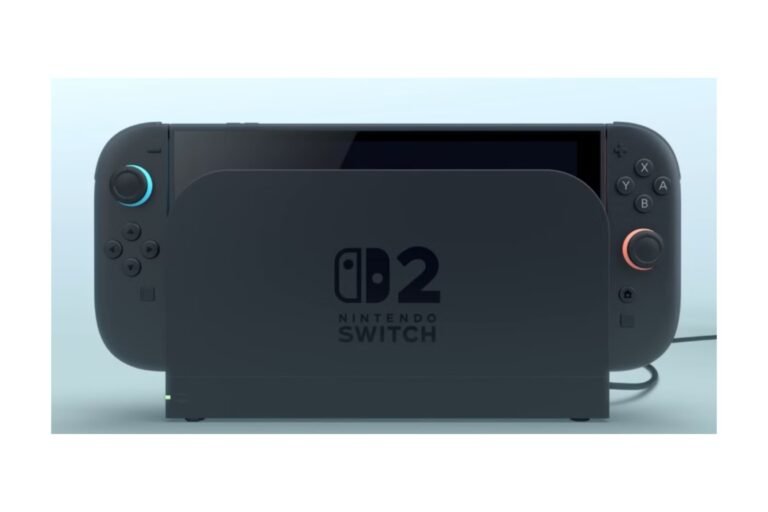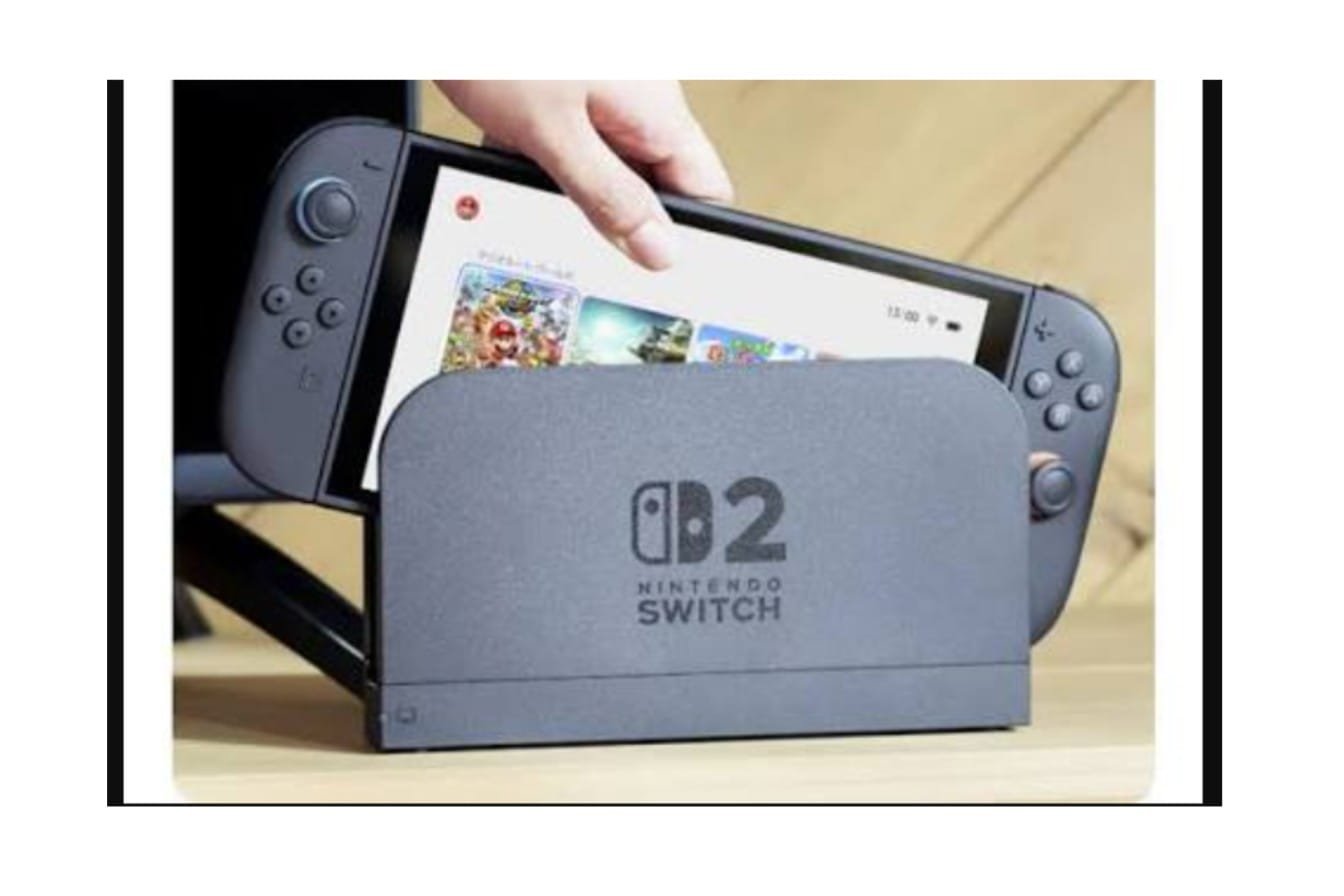
Nintendo Switch 2 ships with a dock, an AC adapter, and a pack of Joy-Con 2 controllers, so the accessory question isn’t “what should I purchase” – it’s “what enhances my gameplay.” Here I list the relevant categories, suggest individual items worth looking at, and identify the ones you can ignore. For the full console, check out our [Nintendo Switch 2: Complete Guide], and for purchase decisions, our [Nintendo Switch 2 Price] covers all currently available bundles.
Table of Contents
Best Nintendo Switch 2 Accessories at a Glance
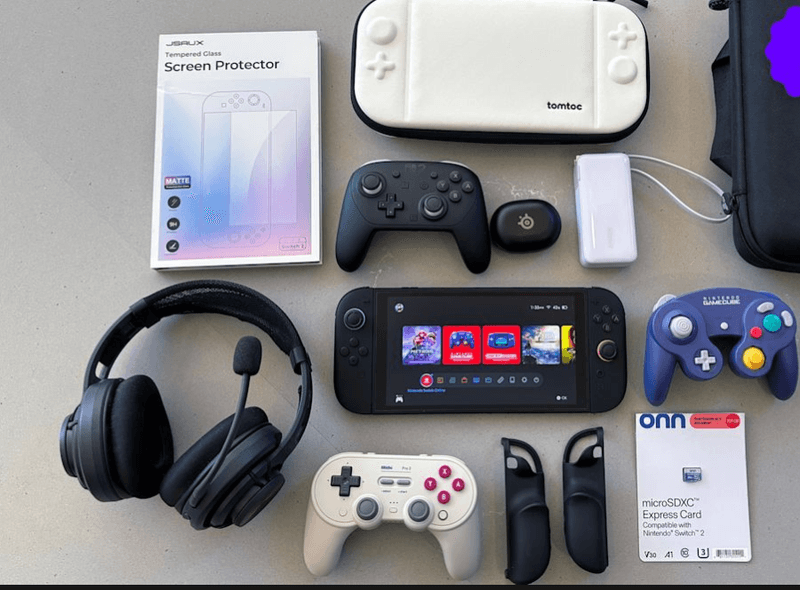
| Carrying case | Protection, travel | Worth considering for most owners |
| Screen protector | Preventing scratches | Worth considering for most owners |
| Pro Controller | TV/docked gaming | Depends on play style |
| microSD Express card | Extra game storage | Depends on library size |
| USB-C charger / power bank | Travel, backup power | Depends on habits |
| Headset | Private or multiplayer audio | Optional |
| Grip | Handheld comfort | Optional |
| Camera | GameChat video | Only if you use GameChat |
| Extra dock | Second TV or setup | Situational |
Which Nintendo Switch Accessories Work With Switch 2?
If you are moving on from an original Switch, this is usually your first question, so clarify it first.
| Controllers | Varies — check the listing for explicit Switch 2 support |
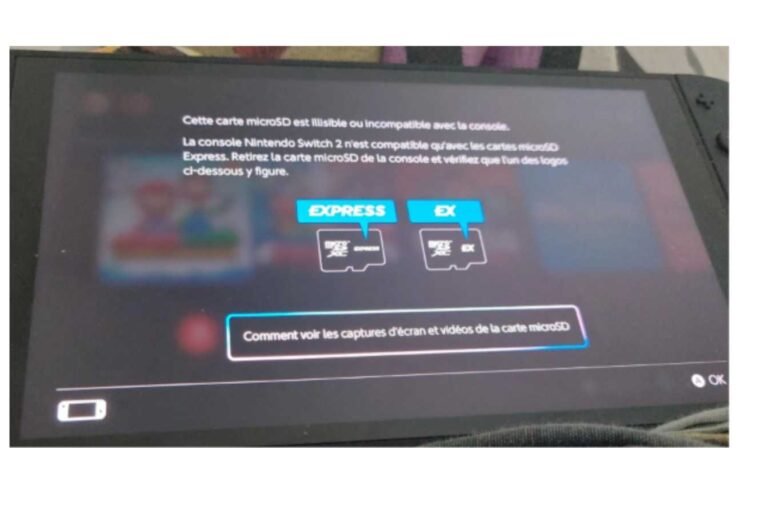
| microSD cards | Not usable for Switch 2 storage expansion — see below |
| USB accessories | Varies by device |
| Headsets | Varies by connection type |
| Carrying cases | Don’t carry over — Switch 2’s larger 7.9-inch screen and dimensions mean original Switch, OLED, and Lite cases won’t fit properly |
| Chargers | Usable for handheld charging; check wattage for dock mode (see Chargers section) |
| GameCube-style controller | Switch 2 has its own compatible version |
Storage and case rules are the two most likely to cause headaches. Standard microSD cards compatible with the original Switch won’t work to increase storage on the Switch 2; you’ll need a microSD Express card. Likewise, a case designed for the previous Joy-Con, model, OLED, or Lite will not fit properly on the new console, which has an enlarged screen and body. Make sure to buy accessories that are marked specifically for Switch 2.
Best Nintendo Switch 2 Cases
A case is one of the accessories most owners want, but the label “case” covers a few different functions. Carrying cases, like the Orzly Carrying Case or the tomtoc FancyCase, offer a separate hard-EVA shell to carry the entire console and protect it when you’re not holding it, but not protect it during play. Grip-style shell cases (like the SUPCASE Unicorn Beetle Pro or the i-Blason grip case) connect directly to the console during play, and most hide the kickstand. Larger travel sets, like the Mumba Deluxe Plus, are molded to hold the console, a grip case, the dock, and cables.
Another thing to watch for before taking the plunge: some grip-only cases can cause docking problems, because it is hard to slide the console smoothly into the dock’s connector. If you use your dock every day, find a case that explicitly states it’s dock-capable. Nintendo makes an official carrying case that includes a screen protector, plus a separate all-in-one case to carry the dock, console, controllers, and all your wires.
Best Overall Case: Orzly offers an inexpensive combination of a hard-shell carrying case with a microfiber lining for the screen and a compartment for game cartridges.
Most suitable for protection from handhelds: SUPCASE Unicorn Beetle Pro, a shell-style grip case that stays on during play.
Ideal for Complete Travel Kits: Mumba Deluxe Plus hard shell fits console (comes with its own case), dock, and cabling together.
Best Screen Protectors
Tempered glass is more scratch-resistant than film, and the slightly higher price is justified. The installation tray on the amFilm Auto-ALIGN OneTouch protector makes it a popular choice because it lines up the glass perfectly, potentially reducing the crooked, bubbled installs common with plastic film. Belkin’s Tempered Glass Anti-Reflective protector is a good choice for rooms with lots of light if the anti-reflective coating reduces glare more effectively than clear coatings.
Whatever you pick, make sure that touch sensitivity remains acceptable after setup and that the protector doesn’t obstruct docking- a protector that dulls touch response or creases excessively at the edges isn’t doing its job.
Best Controllers
Controller selection based upon your gameplay style. The included Joy-Con 2 controllers default in many situations, doing just fine for nearly all handheld and casual play. For extended TV sessions, investing in a specific controller makes a much bigger difference.
Nintendo Switch 2 Pro Controller is the easiest option for docked play — amiibo compatibility, customizable GL/GR back buttons, motion controls, and around 40 hours of life. The only real negatives are cost and a somewhat boring look. Nintendo also offers a GameCube-style controller for the Switch 2 for those who want to use their GameCube library on Nintendo Switch Online.
The 8BitDo Ultimate 2 Bluetooth Controller is hands down the best third-party option if you want to spend less and get far more features. It includes TMR sticks, Hall Effect triggers, a mappable back button array, and a charging dock for less than what Nintendo sells their controller for. GuliKit’s KingKong and TT Pro/TT Max series are also a good option for those wanting anti-drift Hall Effect sticks at a lower price.
Should you get a Pro Controller? If you play mostly handheld, no; the Joy-Con 2 already covers that. If you’re docked a lot or found the smaller shape of Joy-Con 2 uncomfortable, it’s worth upgrading, and third-party options will likely get you just as much for a better price.
Best Docks
The Switch 2 includes a dock in the box, so this section is about whether you need another one. Nintendo also sells a new dock set on its own that includes the dock, AC adapter, USB-C cable, and an Ultra High-Speed HDMI cable (the HDMI spec matters here, as a lower-rated cable can cause display issues when docked).
Do You Need a Second Nintendo Switch 2 Dock?
A second dock makes sense if you frequently switch between two TVs and hate unplugging and repacking your main setup (or as a backup in case the normal dock’s connector gets damaged). If you’re only ever docked in one place, the bundled dock will suffice. Third-party options exist, but independent tests have shown some refuse to negotiate power and behave like Nintendo’s dock (check recent reviews for a particular model rather than assuming any USB-C dock will behave this way).
Best Nintendo Switch 2 Chargers and Power Banks
This is the most common category I think people get wrong, so it’s useful to get the numbers right here. Loosely speaking, power-meter testing of the stand-alone Switch 2 console never sees more than about 15W drawn, dock or no, though that doesn’t reflect measurements taken when the dock is present. The case is a little different: the dock alone will negotiate 20V/3A (60W) from the moment it’s plugged in, while fallback compatibility testing has shown that a charger rated below about 60-65W doesn’t unlock TV/dock mode at all, no matter what, even though the console.
How Much microSD Express Storage Do You Need?
| 256GB | Most users with a mixed digital/physical library – matches the console’s built-in storage |
| 512GB | Players building a larger digital collection |
| 1TB | Heavy digital buyers who rarely use physical cards |
Nintendo’s very own licensed Samsung 256GB microSD Express card is a simple, guaranteed-compatible baseline. However, a few rival microSD cards exceed its rated speed (up to 800MB/sec read). SanDisk microSD Express cards up to 512GB are an affordable, common choice at similar prices. If your game collection is large enough to demand it, Lexar’s Play Pro microSD Express range goes to 1TB, with some of the highest-rated models to match.
Since card prices change frequently, it is often worth looking up current prices rather than treating any one here as fixed. If you plan to buy a large-capacity card, read recent reviews; firmware behavior can vary even with similar rated speeds.
Best Nintendo Switch 2 Headsets
A headset isn’t integral, but it does address a real issue of playing silently in the room or talking clearly in GameChat. Wired headsets are simpler and cheaper and don’t require the hassle of managing a battery pack; wireless headsets sacrifice that aspect for mobility.
If microphone clarity matters more than tone. As you will be most concerned with talking, a headset that sounds so-so but has a clear mic will be far more useful than the other way around, and it’s worth checking in-store before purchase: whether the headset is actually comfortable for those nine-hour gaming marathons, and if it hooks up identically while docked or handheld.
Best Nintendo Switch 2 Cameras
The official camera collection is built specifically for GameChat’s video feature. If you want to use video chat, you’ll need a suitable USB-C camera (audio-only GameChat doesn’t require one). The official Nintendo Switch 2 Camera ($ depending) feature includes a stand built to hide behind the dock, along with a 1080p sensor. HORI’s USB Camera and Piranha Plant Camera ( below) are officially licensed, much more affordable options at a lower 64022 resolution, perhaps a fair trade-off if you care more about price than quality, or the latter appeals. Any USB-C webcam will do, so you may be able to use one you already own.
No Camera required to play Switch 2 games, browse the eShop, or access the audio and text functions of GameChat. This is solely a GameChat video accessory and isn’t worth missing if you don’t use that functionality.
Best Nintendo Switch 2 Grips
Grips: Not a protective case, a grip is purely about having something to hold comfortably in your hands, rather than protecting your console from a fall. If you have relatively large hands, or play for long stretches at a time, a grip-style accessory really excels by adding width and comfort without permanently changing your console’s configuration. Some of the more armored cases are also assembled as grips, so if you consider a grippy case, make sure it still lets you remove the full Joy-Con 2 controllers and dock freely.
Best Travel Accessories
When traveling with a Switch 2, the least you need is to merge several categories above into a single kit instead of getting something specifically designed for travel. A reliable kit usually includes a travel-rated case, a travel-friendly power bank or a small 65W+ charger for dock-mode charging, a cable-keeper, game-card storage if you plan to play physically, and a pre-applied screen protector for protection even before you reach your destination. At the very least, a headset is also welcome for shared travel spaces like a plane.
Accessories You Actually Need
Rather than a blanket list, this depends on what kind of player you are:
Back to the console, for the majority of owners, the case and screen protector are the two accessories that should be considered first: inexpensive protection against the most prevalent causes of console breakage.
If you plan to play many digital games, set aside funds for a microSD Express card, as the storage capacity of Switch 2 means a digital library will fill quickly.
TV players will benefit the most from the 2nd controller, which can be a Nintendo Pro Controller or a third-party alternative like the 8BitDo Ultimate 2.
For travelers who get around regularly, get a travel case and a charger with the correct dock-mode power level.
GameChat users, on the other hand, are the only group that should stick with a camera and maybe a headset, since both address that feature directly.
Accessories You Can Skip
- A second dock in case you only ever have a second TV setup:
- If the Joy-Con 2 is already comfortable for how you play, then it’s better to go for the Pro Controller.
- A big travel case if you hardly take the console anywhere
- Apart from physical games, if you usually buy a lot of digital games and 256GB is enough for all your digital games, then a microSD Express card.
- A camera, if you don’t use the GameChat video feature.
- Additional charging accessories in case the provided AC adapter is sufficient for your applications
- A grip, if touch-grip has not previously been a concern for you.
None of these are poor products; they address issues not every owner will experience.
FAQs
What accessories will I need for Nintendo Switch 2?
If you own a Wii U, a case and screen protector are probably the two best items to get first. Other purchases really vary: if you’re a docked player, a Pro Controller is most important; digital buyers need more storage, travelers need a case and backup power.
Does Nintendo Switch 2 require a charger?
Includes an AC adapter. You only need a dock-mode charger as a spare, replacement, or travel charger, and if you want dock-mode charging on the move, it needs to be rated at 65W or higher.
What does the Nintendo Switch 2 pack?
Yes. A second dock makes sense if you frequently connect to two different TV setups.
Should I get a screen protector for Switch 2?
Not a must, but it is a good idea to add a layer of protection to keep it from scratches; after all, that screen costs a fortune to replace.
Is Switch 2 capable of handling microSD Express cards?
Yes- original Switch standard microSD cards are not compatible with Switch 2 for storage expansion.
Am I allowed to continue using my previous Nintendo Switch peripherals with Switch 2?
A few, but not all. They won’t work across the cases because the screen and body are bigger. Old microSD cards certainly won’t work to expand storage. Controllers and chargers differ by device.
Is the Switch2 going to require a Pro Controller?
Only if you dock a lot or use the Joy-Con 2 for long periods.
Will I require the second Switch 2 dock?
Only if you use the console at more than 1 TV location regularly.
Does Nintendo Switch 2 require a camera?
You need one if you intend to utilize GameChat video. As long as you’re playing GameChat by itself with only audio, or any other application on the console, you don’t need one.
Which accessories work well to support a trip with Switch 2?
Everything you need for travel: a protective travel case, a 65W+ charger or power bank, a cable organizer, and game-card storage.

I’m a content writer passionate about gaming and strategy. I create engaging and informative content based on the latest gaming trends and industry updates. I enjoy exploring new tools, analyzing games, and making complex topics easy to understand for readers.